Educational platform
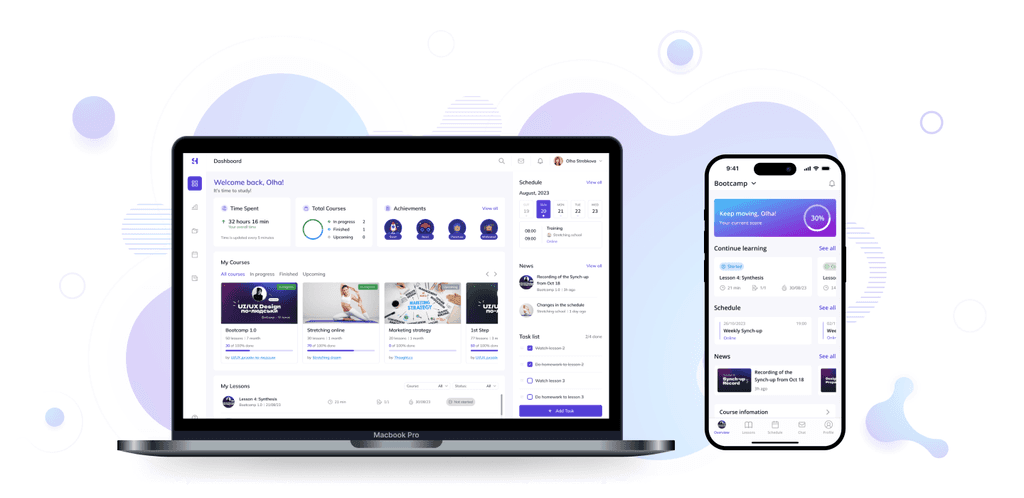
Project description
Identifying problem
Long waiting time for access to courses.
Numerous forms required to gain access.
Need to use multiple different apps for meetings, communication, and learning (Zoom, Telegram, other platforms).
Lack of a unified solution for all course participant needs.
Solutions
Create a single platform where users can easily find, purchase, and instantly access courses.
Consolidate all functions (lessons, meetings, chat, homework review) in one place.
Integrate with other services like Zoom or Figma for specific needs while keeping all information on the platform.
Allow mentors to customize their courses and organize the learning process.
Design process
Creating a user-friendly, easy-to-use platform that provides easy access to online courses, interaction with mentors and fellow students, submitting homework, tracking progress, and receiving feedback.
Ideate
Sketching
Prototype
Test
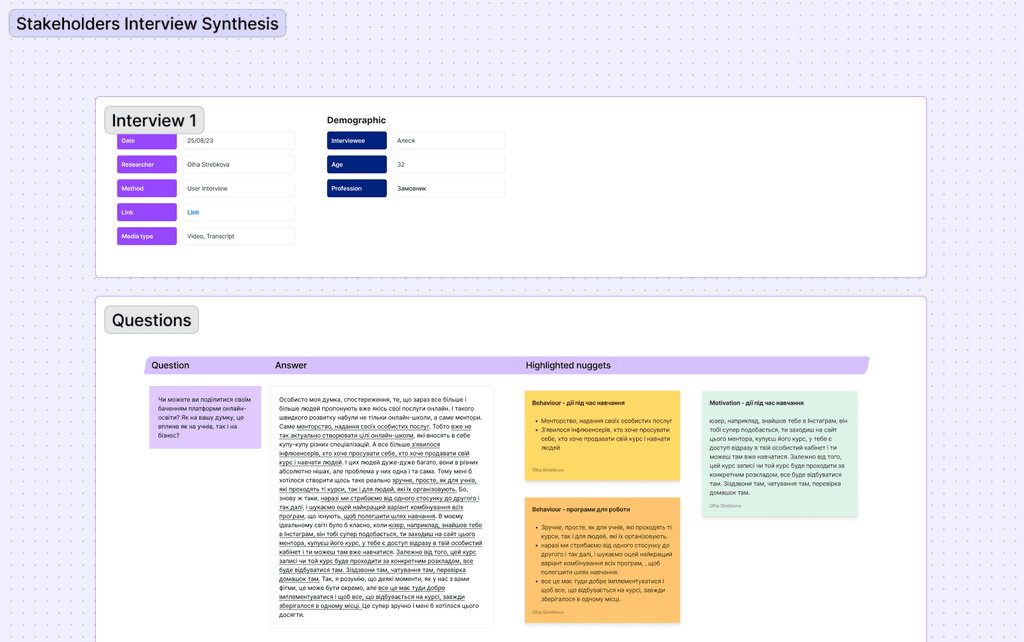
Stackholders interview
The main goal of interview:
To understand the main goals and align them with user goals
To get clear vision and strategy of the product
To understand thesr vision of the product and users
To understand prioritities, assumptions, requirements and constraints
Research
The goal of the research was to identify the main pain points and understand the process of education online.
What kind of learning format do users prefer?
How was the previous learning on educational platforms?
What problems did users face while using the educational platforms?
Identify patterns
The methods used during the research is a Qualitative and Quantitative interview.
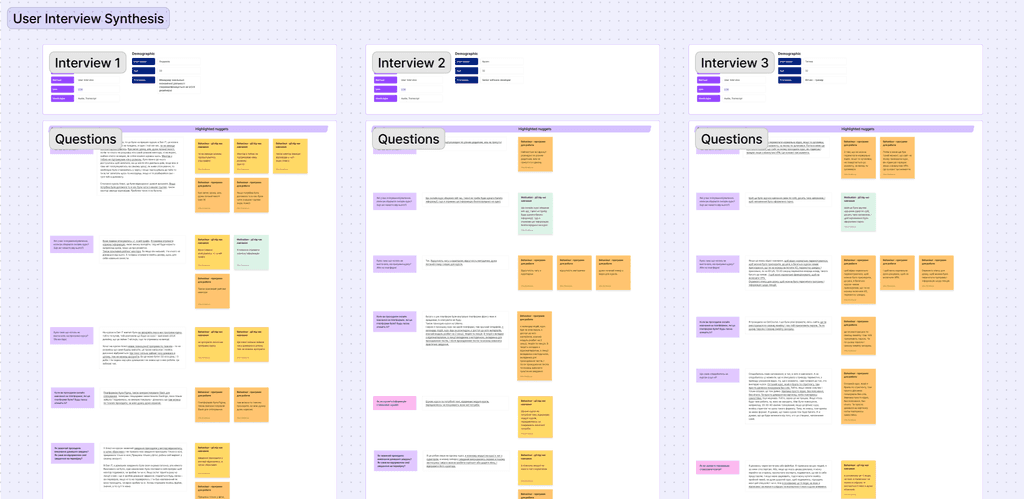
User`s Interview
For a qualitative interview, were selected 3 respondents from different fields to compare their common experiences: UI/UX designer, Software developer, Fitness trainer
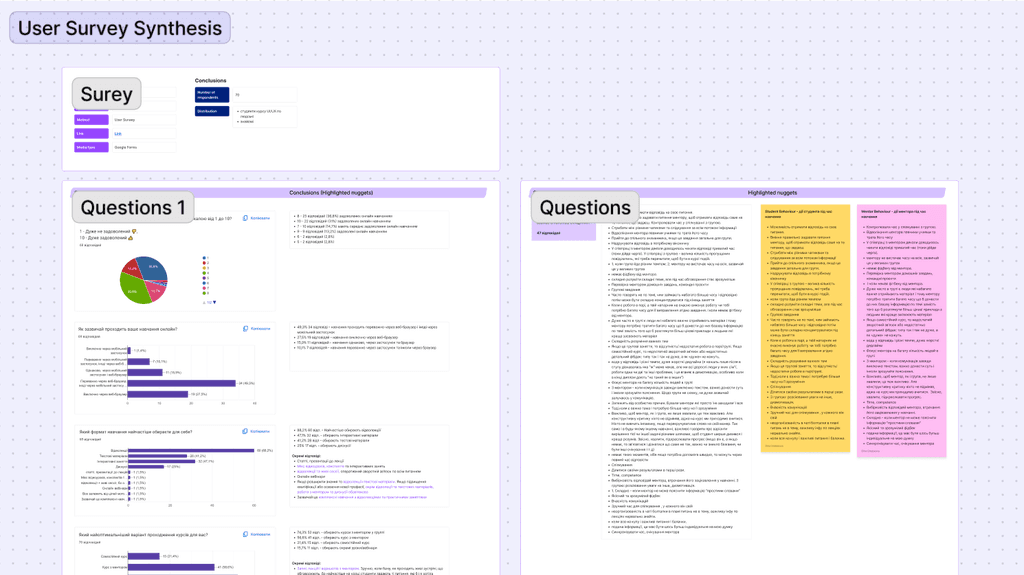
Survey
During the quantitative interview, 80 respondents were interviewed, who have experience with similar resources, as well as their needs, preferences, and pain points.
Research results and suggestions
№
Key insights
Influence of insight
Suggestions
1
Gives the user the opportunity to adjust the courses to their schedule
It is necessary to add a widget/page with a calendar, where the user will see his schedule of lessons
2
Ability to mark that the task is completed
Gives the user a sense of completion and shows the mentor that the task is complete
It is necessary to mark the task as completed after the user submits the homework
3
Notification that the task has been checked by the mentor
The user feels more relaxed when he knows that the task has been checked
It is necessary to add a note that the task has been checked to the messages and to the completed lessons
4
Communication with the mentor (chat, comments)
Allows the user to ask the mentor important questions about the lecture
It is necessary to add a chat with a mentor to the course module
5
Communication with a group of coursemates
Allows the user to communicate with coursemates and share insights about lectures
It is necessary to add a chat or forum with coursemates to the course module
6
Timelines and captions under the video lecture
Allows the user to return to the lecture and find the part of the lecture he is looking for
It is necessary to add the ability to make timelines and captions under the video to the player
7
Mentor and course rating
Allows the user to find out the evaluation of the courses or the mentor
In the profile of the mentor, add a section/page with reviews about him and the course
8
A rewards from the system for quickly completing homework or not missing lessons
Gamification elements have a positive effect on users and stimulate other rewards
Reward items must be added to the user account
9
Mentor and course rating
The feeling of completion and vision of one's progress has a positive effect on a person's emotional state
A widget/section/page should be added where the student can see his/her progress throughout the course and his/her performance
10
Important information on the course in one place
The user feels more confident when important information is in one place
A section with important information should be added to the course where updates about the course will be added
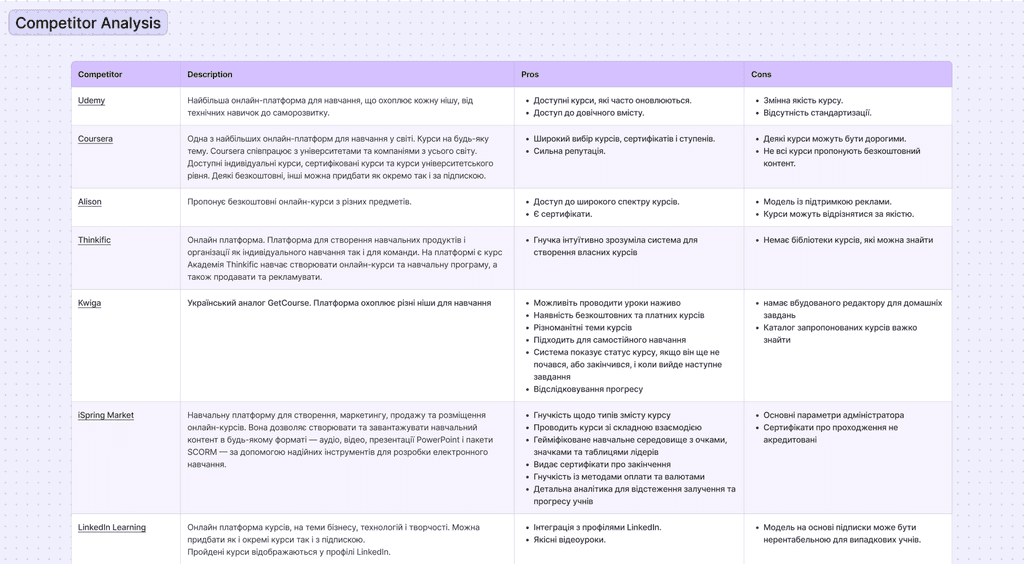
Competitor analysis
Before diving into the design process, a competitive analysis was conducted to learn educational platforms: what they are doing well or not well, and what features they lack.
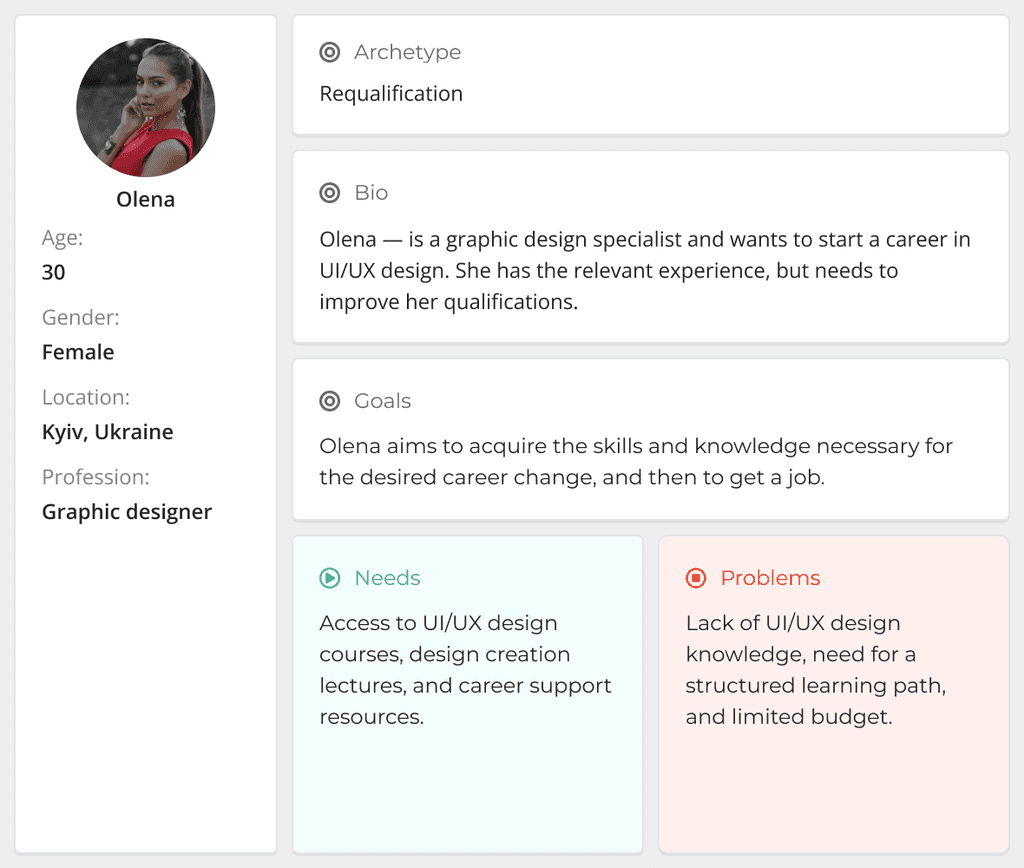
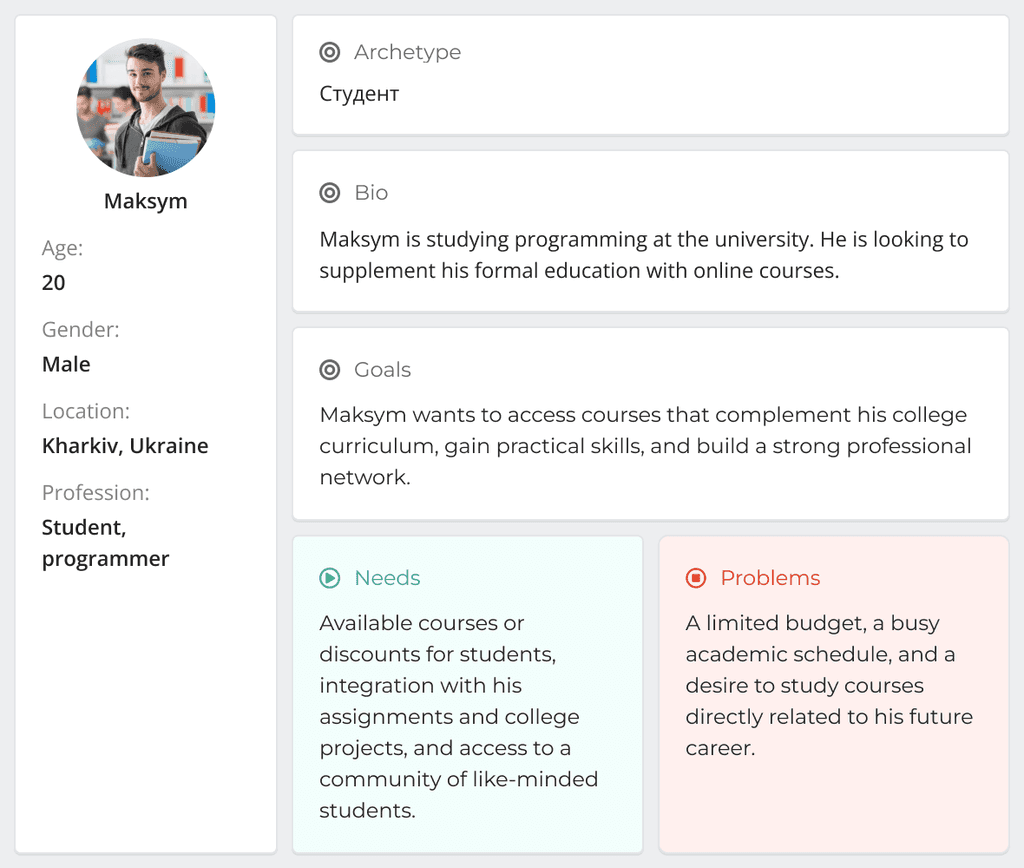
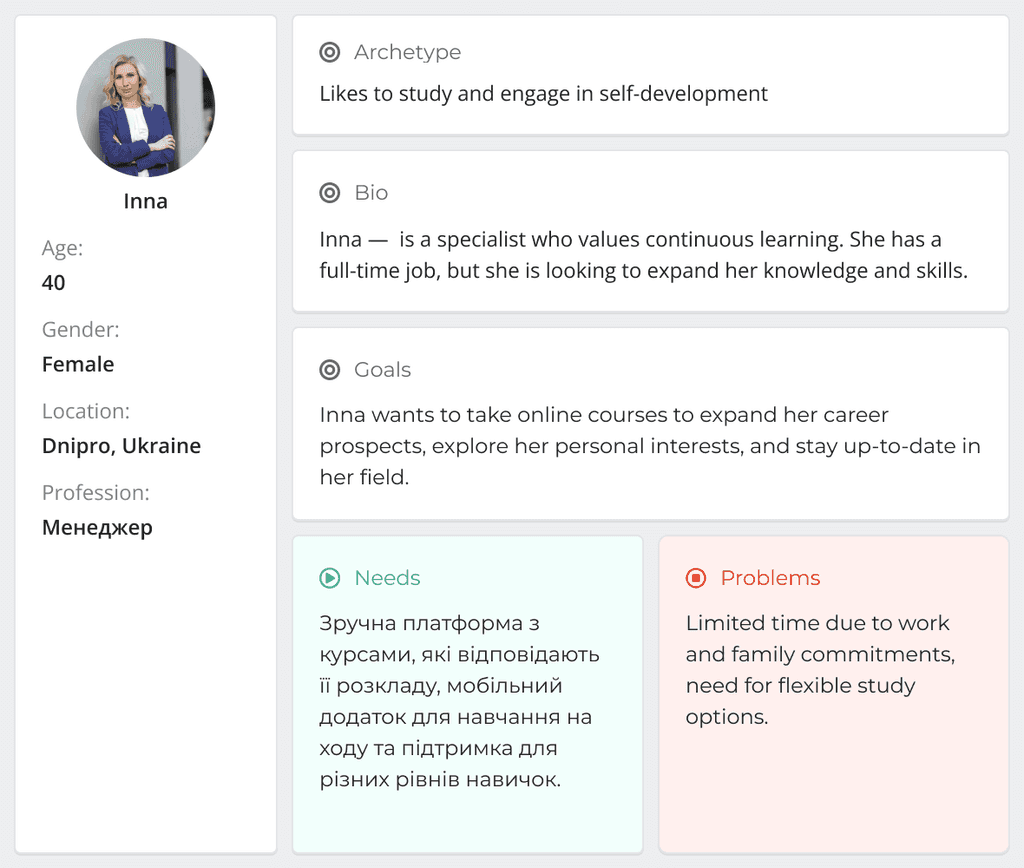
User personas
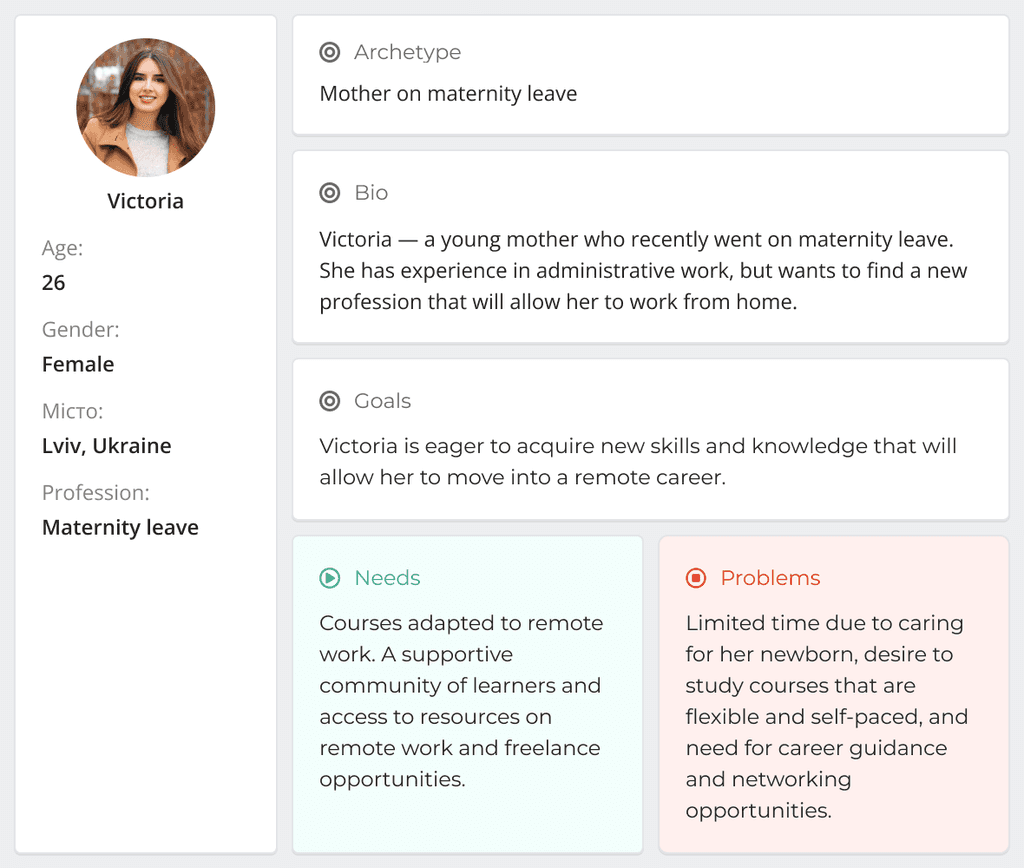
Based on the feedback and insights gained from research, I created 4 personas who might use the educational platform. These personas demonstrate the key user goals and frustrations that appeared in my findings.
User stories
User stories helped define the core features of the educational platform and made it easier to prioritize features that improve the overall user experience. A total of 20+ results were obtained
"As a first-time user, I want to go through a brief onboarding process so that I can identify my goals and interests on the platform."
"As a new student, I want to easily create an account using my email or social media credentials so that I can easily access the platform."
"As a student, I want to see the mentor and course ratings and reviews before purchasing a course so that I can make an informed decision."
"As a student, I want to search for courses by keywords, subjects, or mentors so that I can quickly find the information I need."
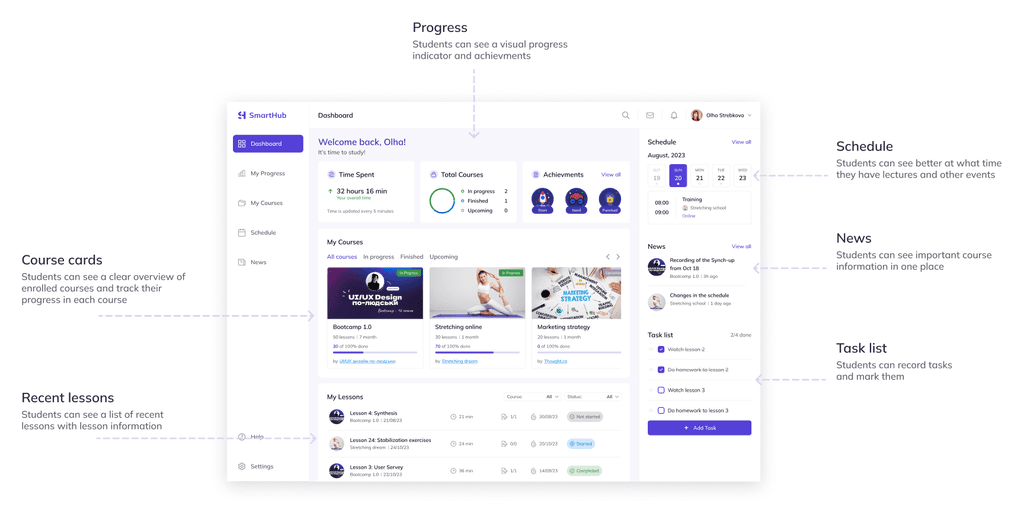
"As a student, I want to see a clear overview of my enrolled courses and track my progress in each course so that I can understand my progress."
"As a student, I want the system to note when I've finished and uploaded an assignment, so that I can see how much homework I have completed."
"As a student, I want to see a calendar with lecture release dates so that I can stay informed and adjust my schedule accordingly."
"As a student, I want to see important course information in one place, so that I don't have to search for information in different locations."
"As a student, I want to receive notifications about upcoming lessons, assignments, and deadlines so that I don't have to search for this information."
"As a student, I want to have a visual progress indicator so that I understand which part of the course I have completed."
Information architecture
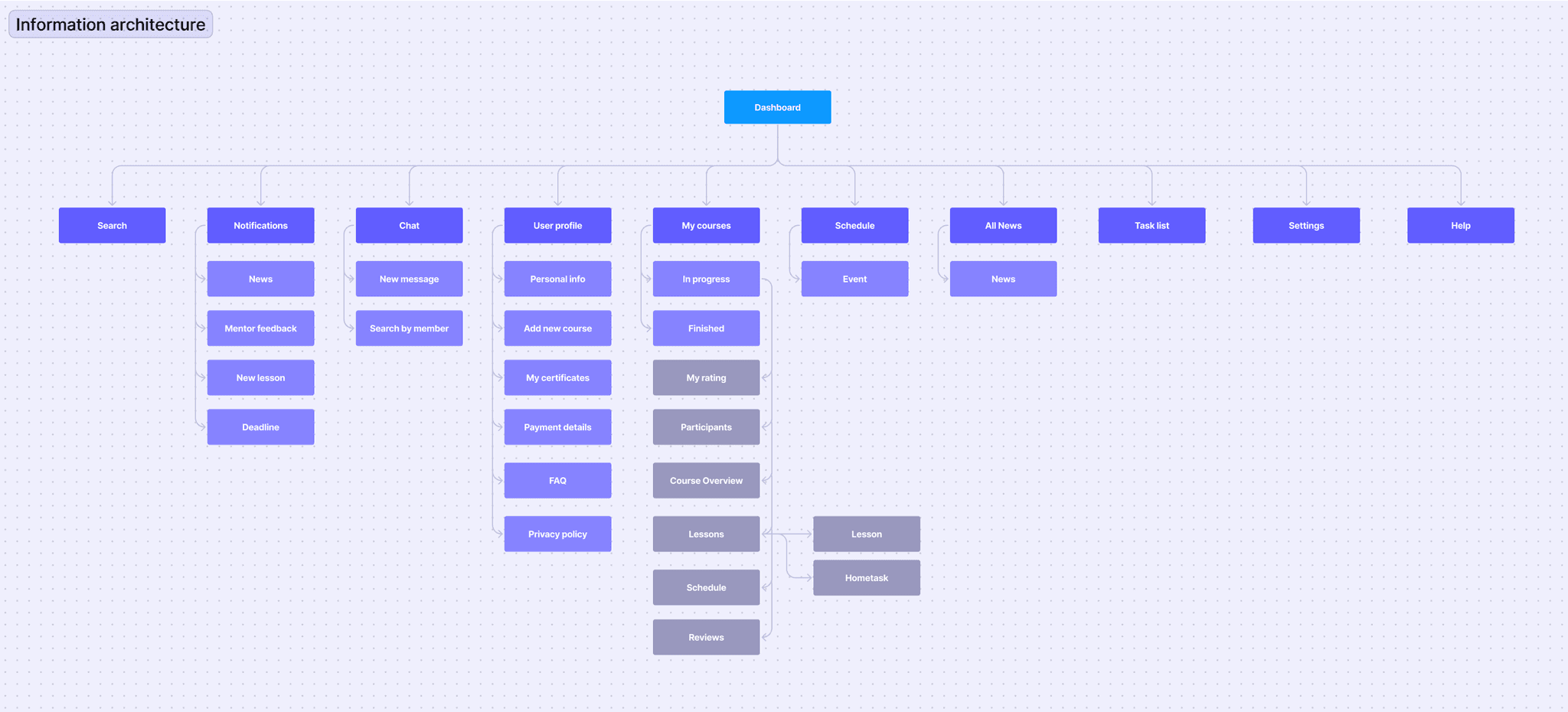
An information architecture was developed to gain a deeper technical understanding of the platform's operation.
Hi-fi wireframes
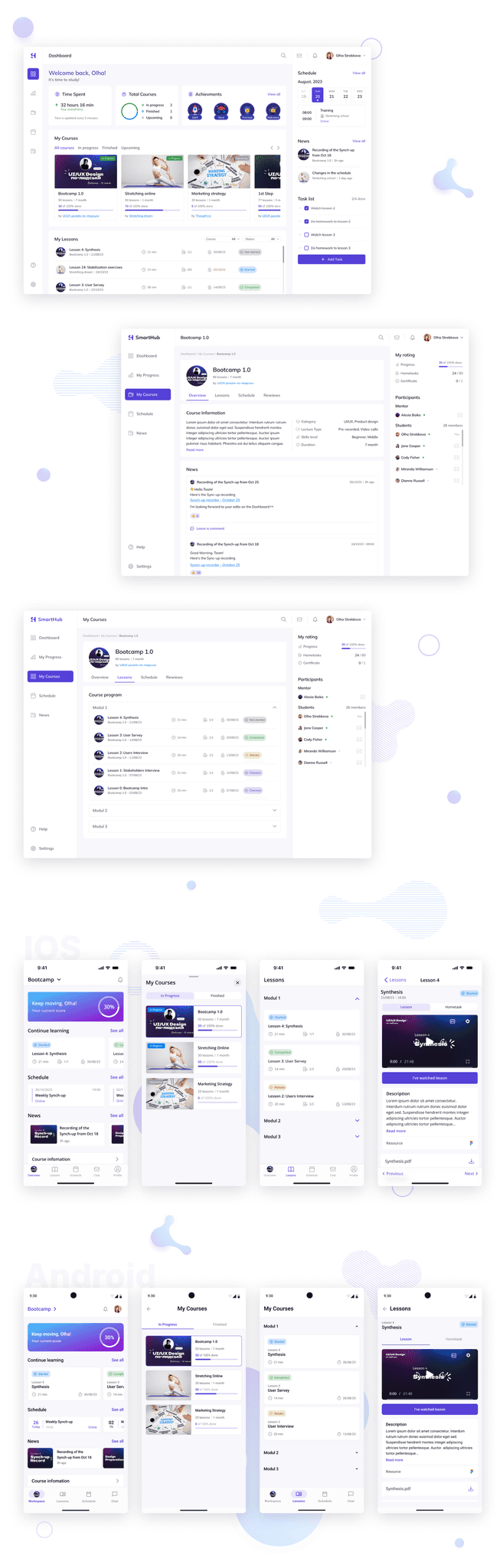
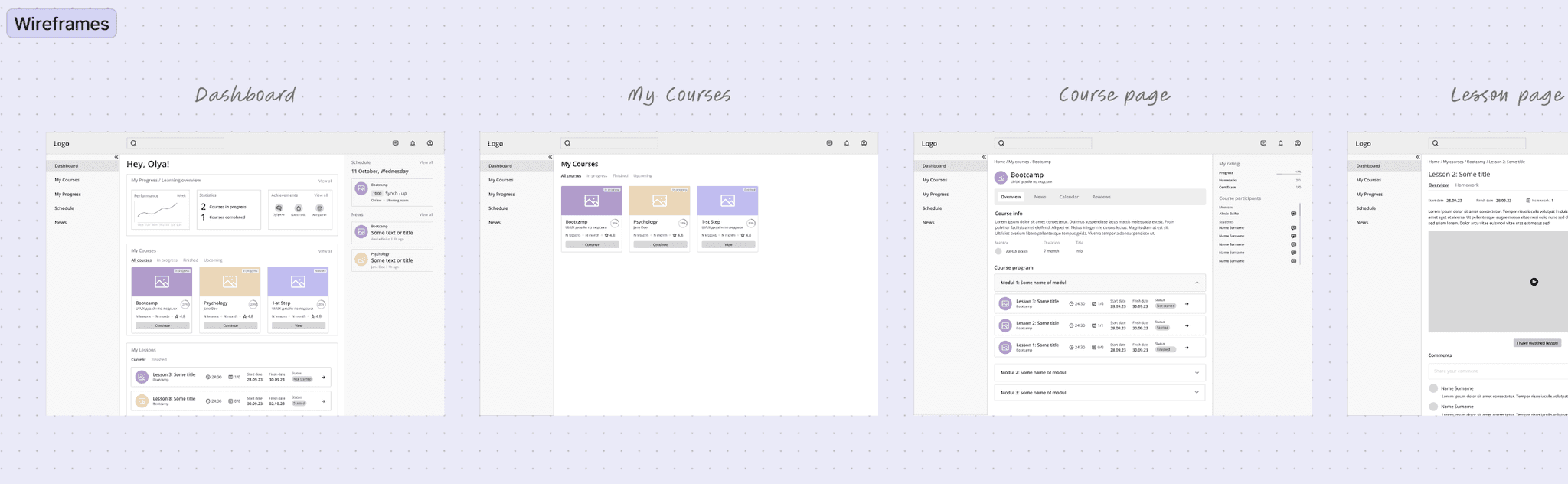
Creating wireframes initially helped visualize ideas and also provided a basic framework for how users would use the platform.
Design
Creating wireframes initially helped visualize ideas and also provided a basic framework for how users would use the platform.